inibet Casino Mobile App
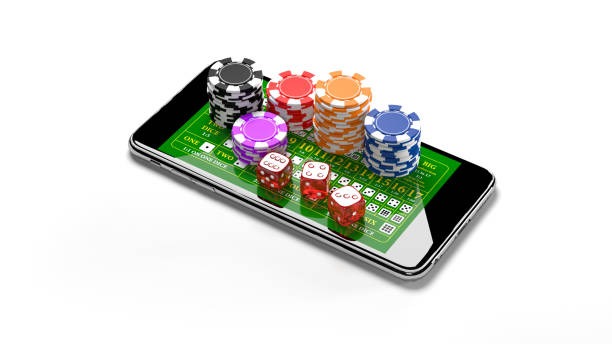
We at inibet offer mobile access through Android APK installation and iOS browser access, so you can access our live-dealer tables, sportsbook, and slot games from any device. Mobile-first design means faster load times, offline caching for key features, and push notifications for account updates and game alerts.

- Update
- Installin
- StartFirst Game
- DownloadAPK
Our app is built for low-data environments. We compress images and video streams so you can play on standard mobile connections. Whether you are in Jakarta, Surabaya, Bandung, Medan, or Semarang, our platform adapts to your network speed and device capabilities.
This page walks you through installation on Android and iOS, explains the differences between app and browser access, and covers common setup questions. Our services are available only where local law permits. Users are responsible for verifying that access and use comply with the laws of their own jurisdiction.
How to access inibet on mobile
We provide three ways to access inibet on your mobile device: Android APK installation, iOS browser access, and web-app access from any browser. Each method has strengths depending on your device and preference.
Installation steps
- Download: Get the inibet APK file from our platform or use the direct link provided in your account.
- Install: Open the file and follow the on-screen prompts. Grant permissions when asked.
- Register: Create your inibet account or log in if you already have one.
- Start: Access live-dealer tables, sportsbook markets, and slot games immediately.

App vs. browser on inibet
Our Android app offers offline caching, so certain game data and account information load faster on repeat visits. Push notifications alert you to account changes, withdrawal status, and live-game updates. The app also integrates with your device's payment methods, making deposits via DANA, e-wallet, mobile banking, local payment, online payment, and e-wallet faster.
Browser access works on any device without installation. You can access inibet from Safari on iOS, Chrome on Android, or any modern browser on desktop. Browser sessions are stateless, so you log in each time, but there is no app update cycle to manage.
We design inibet for both app and browser. Choose the method that fits your workflow and device.
Device compatibility
Our Android app runs on Android 7.0 and later. Our iOS browser access works on iOS 12 and later. We support both portrait and landscape orientations. If your device is older than these versions, use browser access instead. We regularly test inibet on common devices to ensure smooth performance.
Common installation issues
If you see "Unknown sources" warning on Android, enable installation from unknown sources in your device settings. Go to Settings → Security → Unknown sources and toggle it on. This allows you to install the inibet APK. On iOS, if you see a certificate warning, tap "Trust" to proceed. These warnings appear because we distribute the app directly rather than through app stores. Your data is encrypted and secure regardless.
Data, permissions, and account security
We at inibet request only the permissions we need: camera (for KYC verification), contacts (optional, for account recovery), and location (optional, for regional compliance). We do not access your photos, messages, or other private data. All data sent to inibet is encrypted. Your account is protected by two-factor authentication (2FA), which you can enable in your account settings. We recommend enabling 2FA if you access inibet from shared devices.
- APK installation
- Direct download of the inibet app for Android. Requires enabling unknown sources in device settings.
- Browser access
- Use Safari, Chrome, or any modern browser to access inibet without installation.
- Push notifications
- Alerts for account updates, withdrawals, and live-game events. Enable in app settings.
- Two-factor authentication
- Optional security feature. Sends a code to your phone each time you log in from a new device.
Tips for inibet mobile use
Keep your app updated. We release updates regularly to improve performance, add features, and patch security issues. Check your device's app settings or our platform for new versions.
Use strong passwords and enable two-factor authentication. Your account is your responsibility. If you suspect unauthorized access, change your password immediately and contact our support team.
Monitor your data usage. Live-dealer streams use more data than slot games or sportsbook browsing. If you are on a limited data plan, use lower-quality video settings or access inibet over WiFi during peak hours.
Our support team is available via email, live chat, and phone. We respond to account issues, payment questions, and technical problems during business hours. Contact us if you experience crashes, login failures, or payment errors.
Two-factor authentication protects your account
DANA, e-wallet, mobile banking, local payment, and bank transfers
Blackjack, roulette, baccarat, Dragon Tiger
Liga 1, Piala AFF, Mobile Legends, and more
We at inibet are committed to providing a secure, fast, and accessible mobile experience. Whether you choose Android APK, iOS browser, or web access, your account data is encrypted and your transactions are protected. Start by creating an account on inibet, verify your identity through KYC, and choose your preferred access method. Our platform is available only where local law permits.